
Login
Sign In to OrbVPN
Access your secure VPN account using your Orb ID or sign in instantly with your favorite social accounts.
Login Screen Overview
The login screen is your gateway to OrbVPN's secure network. Choose from multiple authentication methods to access your account quickly and safely.
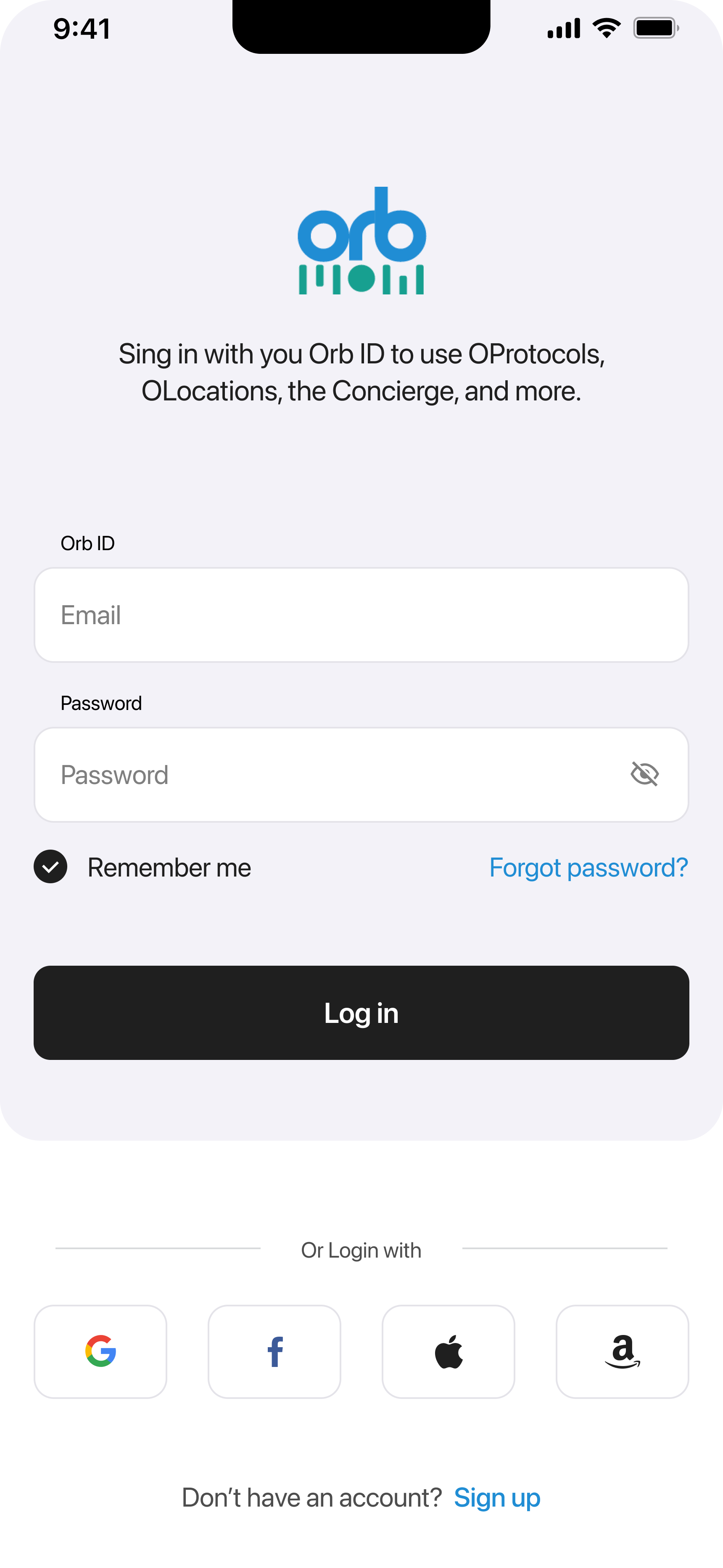
Authentication Methods
Orb ID Login
Sign in with your registered email and password for full account access and control.
Social Login
Quick sign-in with Google, Facebook, Apple, or Amazon - no extra passwords needed.
Orb ID Login Details
Required Fields
Enter Your Email
Type your registered email address in the Email field. Make sure to use the same email you used during registration.
Enter Your Password
Type your password in the Password field. Click the eye icon to toggle password visibility if needed.
Remember Me (Optional)
Check this box to stay logged in on this device. Convenient for personal devices you trust.
Tap Log In
Press the Log In button to access your account and start browsing securely.
Social Login Options
Sign in instantly using your existing accounts:
Use your Google account
Use your Facebook account
Apple
Use your Apple ID
Amazon
Use your Amazon account
Quick Actions
Forgot Password?
Tap the "Forgot password?" link on the login screen to reset your password via email. You'll receive a verification code to create a new password.
New to OrbVPN?
Tap "Sign up" at the bottom of the login screen to create a new Orb ID account. It only takes a minute!
Troubleshooting
Common Login Issues
Incorrect Credentials
Double-check your email and password. Use 'Forgot password?' if you can't remember.
Social Login Failed
Verify your third-party account works by logging into that service directly first.
Ready to Connect?
Download OrbVPN and sign in to access secure, private browsing from anywhere in the world.