Server Selection
Choose Your Server
Browse 30+ server locations worldwide. Sort by latency, load, or region to find the fastest and most reliable connection for your needs.
Server List Overview
The OrbVPN server list is your gateway to the global network. Each server entry displays essential information to help you make an informed choice: country, city, current latency, server load, and availability status. The list updates in real time to reflect current network conditions.
Country & City
Each server is identified by its country flag and city name, making it easy to find the geographic location you need.
Latency Indicator
Real-time ping measurements show the round-trip time to each server in milliseconds. Lower values mean faster response times.
Server Load
A visual indicator shows the current utilization of each server. Choose servers with lower load for better performance.
Status Badge
Each server displays its current status: online, maintenance, or temporarily unavailable. Only online servers accept connections.
How to Select a Server
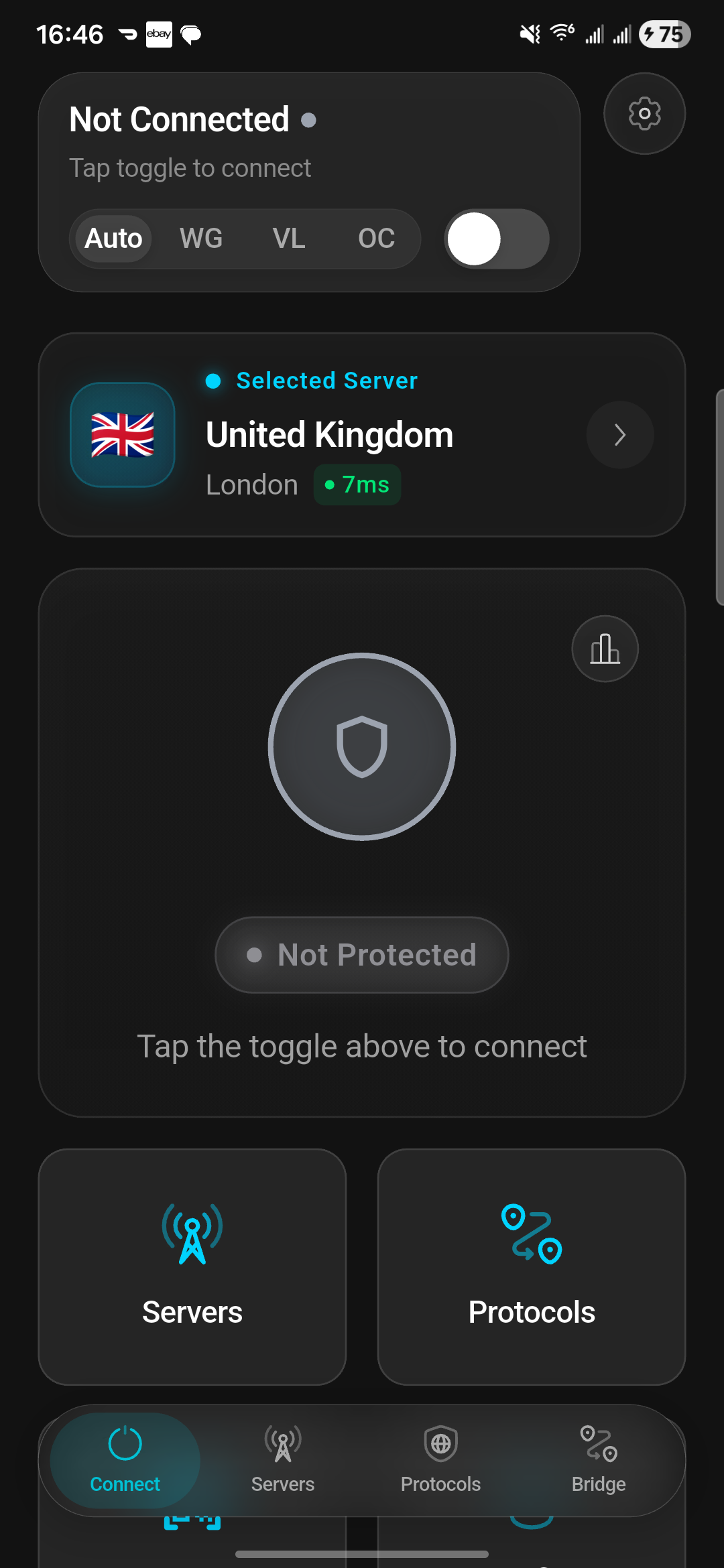
Finding the right server takes just a few taps. Follow these steps to browse, filter, and connect to any server in the OrbVPN network.
Open the Server List
Navigate to the Locations tab in the OrbVPN app. The full list of available servers will load with real-time data.
Search or Browse
Use the search bar at the top to filter servers by country or city name. Alternatively, scroll through the complete list to explore all options.
Review Server Details
Check the latency, load, and status indicators for each server. Servers with low latency and low load deliver the best performance.
Tap to Select
Tap on any server to select it as your target. A highlighted indicator confirms your selection.
Connect
Return to the main connection screen and tap the power button to establish a VPN tunnel to your selected server.
Sorting & Filtering
OrbVPN provides multiple ways to organize the server list so you can quickly find the best server for your specific needs.
Sort by Latency
Places the lowest-latency servers at the top of the list. Ideal when speed and responsiveness are your top priority.
Sort by Load
Orders servers by current utilization, showing the least congested servers first for maximum bandwidth.
Sort by Region
Groups servers by continent, making it easy to find a server in a specific part of the world.
Alphabetical
Sorts the server list from A to Z by country name for straightforward browsing.
Open Sort Options
Tap the sorting icon in the top-right corner of the server list screen to reveal the available sorting methods.
Choose Your Sort Method
Select from latency, load, region, or alphabetical sorting. The list will reorder immediately based on your selection.
Save Your Preference
Tap Save to apply your sorting preference. This setting persists across sessions until you change it.
Favorite Servers
Mark frequently used servers as favorites for quick access. Favorites appear at the top of the server list, saving you time when reconnecting to preferred locations.
Mark a Favorite
Tap the star icon next to any server in the list to add it to your favorites. The star fills to confirm the server has been saved.
Access Favorites
Your favorited servers appear in a dedicated section at the top of the server list for instant access.
Remove a Favorite
Tap the filled star icon again to remove a server from your favorites. It will return to its normal position in the list.
Pro Tip
Favorite two or three servers in different regions. This gives you quick fallback options if your primary server is under heavy load or undergoing maintenance.
Recommended Servers
OrbVPN automatically identifies and highlights recommended servers based on your current network conditions. These recommendations factor in your geographic location, current server loads, and network latency to suggest the optimal connection point.
Lowest Latency
Servers geographically closest to you with the fastest response times are highlighted for minimal delay.
Least Congested
Servers with the lowest current user load are recommended to maximize your available bandwidth.
Nearest Region
Servers in your geographic region are prioritized since shorter physical distance generally means better performance.
Smart Connect
If you prefer not to choose a server manually, enable Smart Connect and let OrbVPN automatically select the optimal server for you. Learn more in the Smart Connect guide.
Ping Testing
Before committing to a server, you can run a ping test to measure the actual round-trip latency from your device to any server in the network.
Refresh Server Data
Tap the refresh icon on the server list screen. OrbVPN will perform a fresh ping test to all available servers and update the latency values.
Review Latency Values
Latency is displayed in milliseconds (ms) next to each server. Values under 50ms are excellent, 50-100ms are good, and over 100ms may feel sluggish for real-time applications.
Sort by Latency
After refreshing, sort the list by latency to see the fastest servers at the top. This is the most reliable way to find your best connection.
Interpreting Latency
For general browsing and streaming, latency under 100ms is perfectly fine. For gaming, video calls, and real-time applications, aim for servers with latency under 50ms.
Regional Server Guide
OrbVPN operates servers across multiple continents. Here is a general overview of our regional coverage to help you plan your server selection strategy.
North America
Multiple servers across the United States and Canada, optimized for streaming and high-bandwidth activities.
Europe
Extensive European coverage including Western and Eastern Europe for low-latency connections across the continent.
Asia Pacific
Strategically placed servers throughout Asia for fast access to regional content and services.
Middle East
Dedicated servers in the Middle East region providing reliable connections with strong censorship resistance.
South America
Growing server presence in South America for users who need nearby connection points in the region.
Oceania
Servers in Australia and surrounding regions for users in the southern hemisphere.
Server Deployment Types
OrbVPN operates three types of server deployments, each with distinct characteristics. Understanding these deployment types helps you make informed choices when selecting a server.
ORB DC
OrbVPN's own datacenters. These servers are fully owned and operated by OrbVPN, delivering maximum performance, lowest latency, and the highest security standards.
Partner DC
Partner-operated datacenters that extend OrbVPN's global reach. These servers are managed by trusted infrastructure partners and meet OrbVPN's strict security requirements.
Community DC
Community-contributed nodes that provide a decentralized server layer. These nodes are operated by verified community members and expand coverage to additional regions.
Deployment Badges
Each server in the server list displays a badge indicating its deployment type (ORB, Partner, or Community). This transparency lets you choose the server infrastructure that matches your trust and performance preferences.
Server Details
Tapping on any server in the list opens the Server Details screen, providing in-depth information about that specific server.
Server Load Percentage
A real-time indicator showing the current utilization of the server as a percentage. Lower load means more available bandwidth for your connection.
Real-Time Latency
A live ping measurement showing the round-trip time between your device and the server in milliseconds, updated in real time.
Supported Protocols
A list of VPN protocols available on this server (WireGuard, VLESS, OrbConnect). Not all servers support every protocol.
Geographic Information
The server's country, city, datacenter provider, and deployment type (ORB DC, Partner DC, or Community DC).
Uptime History
A chart showing the server's uptime percentage over the past 30 days. Servers with consistently high uptime provide the most reliable connections.
Connection Options
A connect button that lets you immediately establish a VPN tunnel to this server using your currently selected protocol.
Connect to 30+ Locations Worldwide
Find the fastest, most reliable server for your needs. With real-time latency data and intelligent recommendations, the perfect connection is always one tap away.